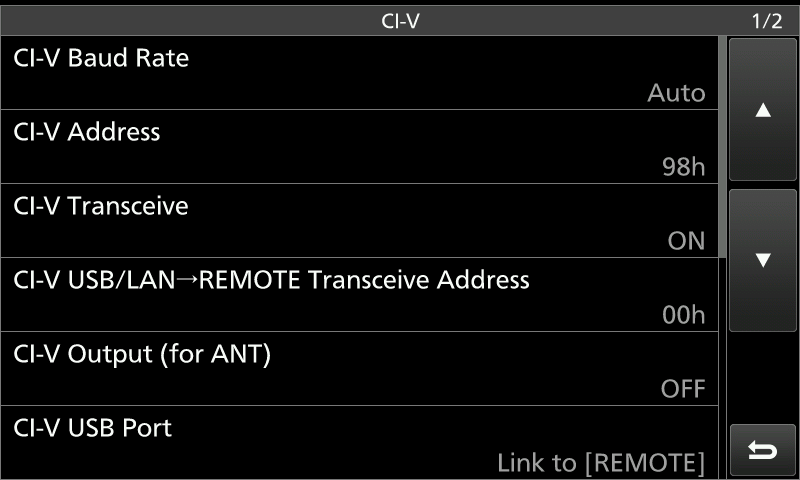
Screen Captures for Icom 7610 setup
Digital Modes
Drivers
The first step step is to get the right driver for your USB port. A CP210x USB to UART Bridge VCP Driver is needed. Silicon Labs has driver for free download for the Mac at: https://www.silabs.com/documents/public/software/Mac_OSX_VCP_Driver.zip
A complete set for drivers for multiple platforms can be found here: https://www.silabs.com/products/development-tools/software/usb-to-uart-bridge-vcp-drivers.
Download the driver and run the install package before doing
the other steps.
Rig Description file (.XML)
You will need an XML rig description file which
can be downloaded *here*
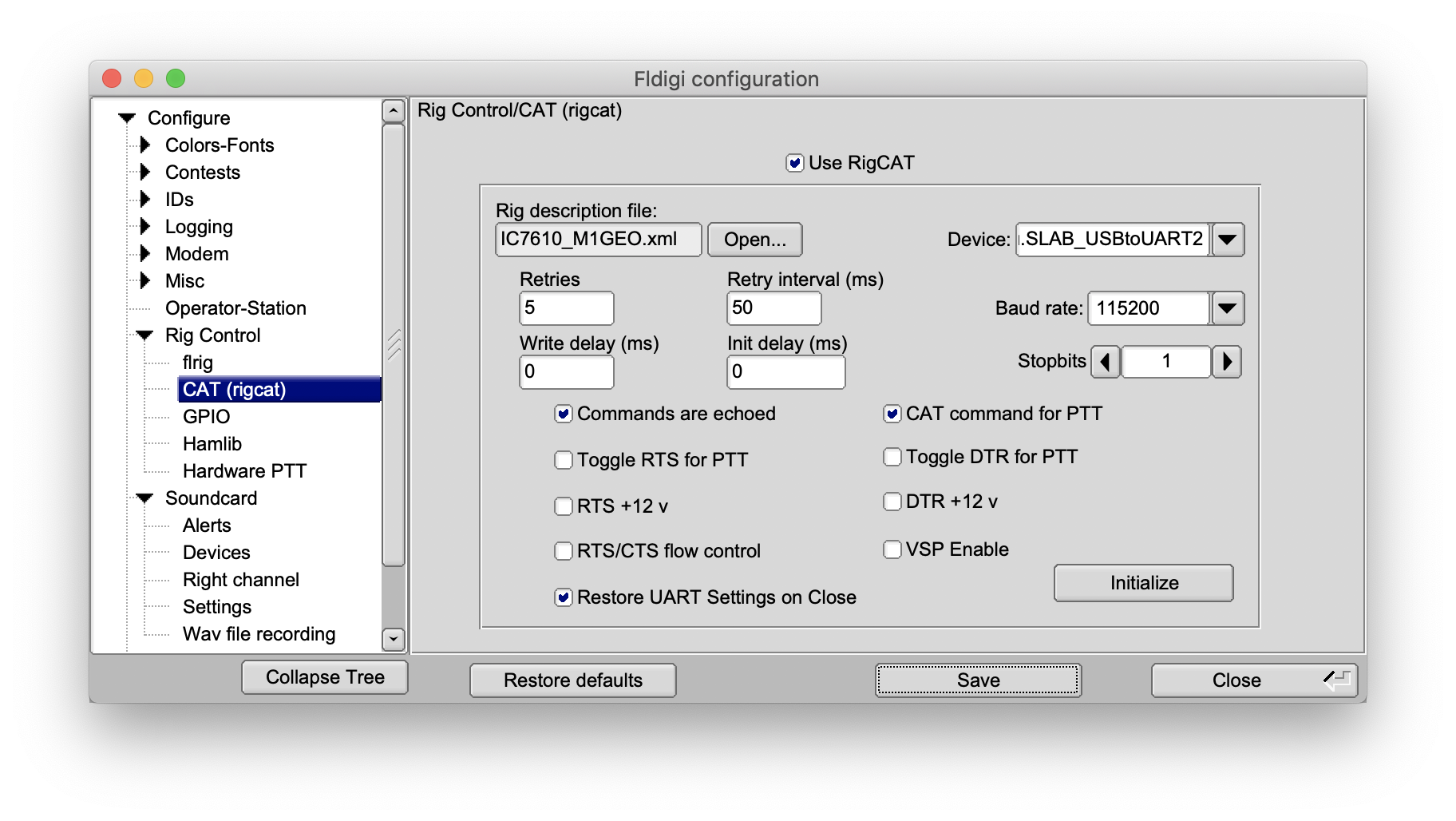
This will be entered in the fldigi configuration for CAT
control (see below)
Mac Settings
Adjust the sound card setting while the radio is turned on and
USB is plugged in.
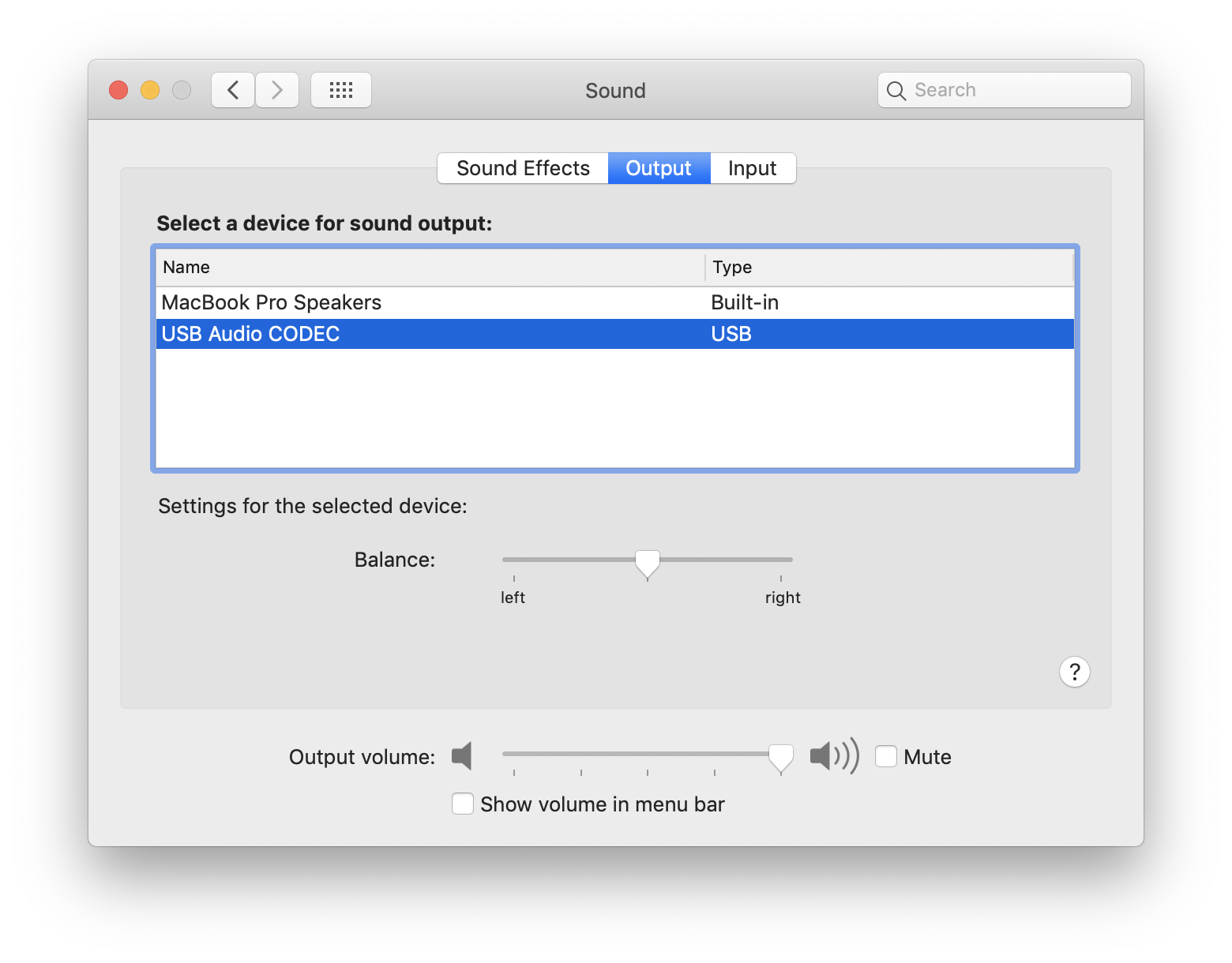
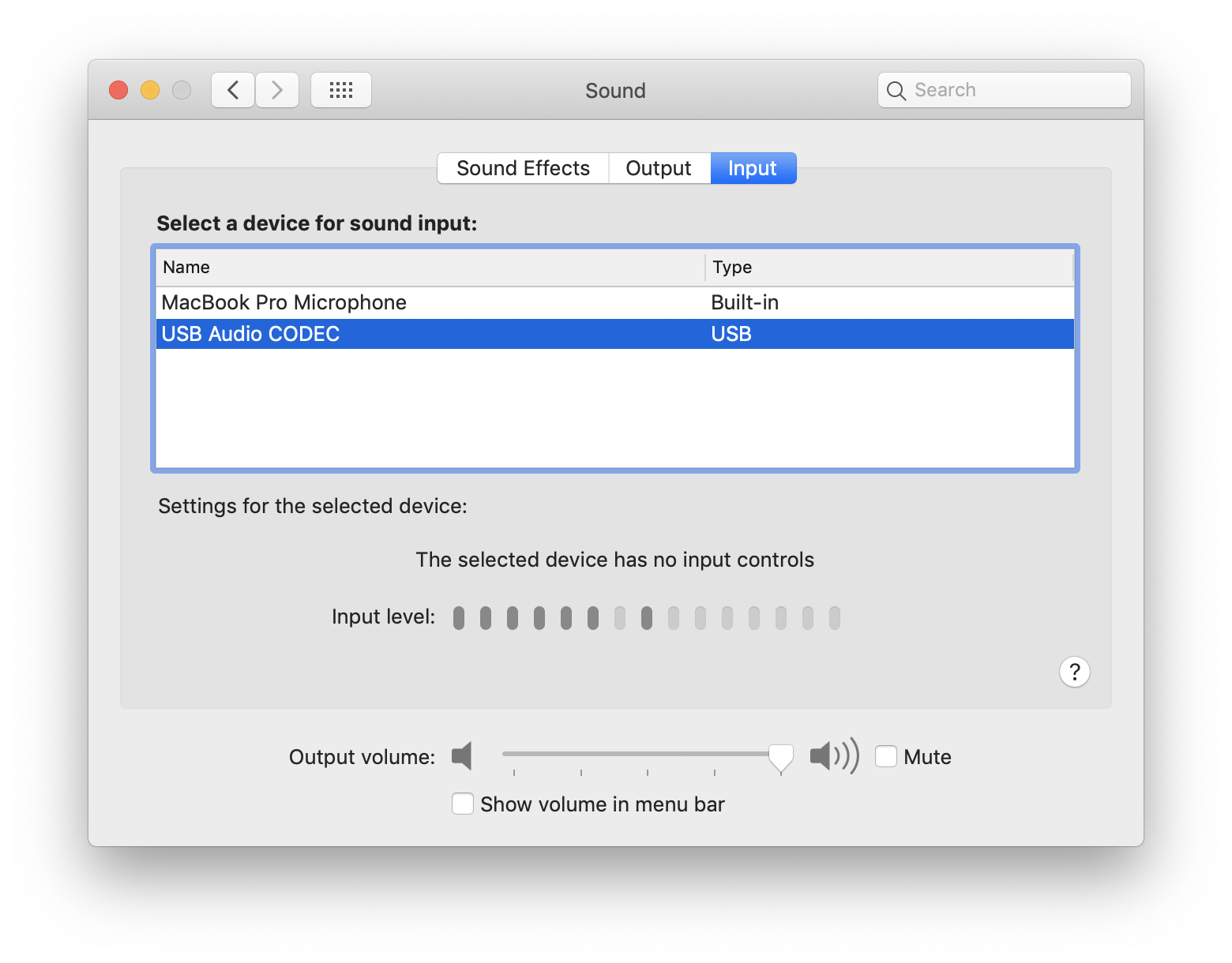
Make sure you have given macOS permission to access your "microphone." Many of these programs see/treat that USB Audio CODEC as a microphone input and failing to give it access to your "microphone" will cause it to not hear a thing. Go to the Security & Privacy pane and make sure that Fldigi has access to the microphone.
Fldigi settings
Set up for CAT control and make sure the Audio settings are correct.
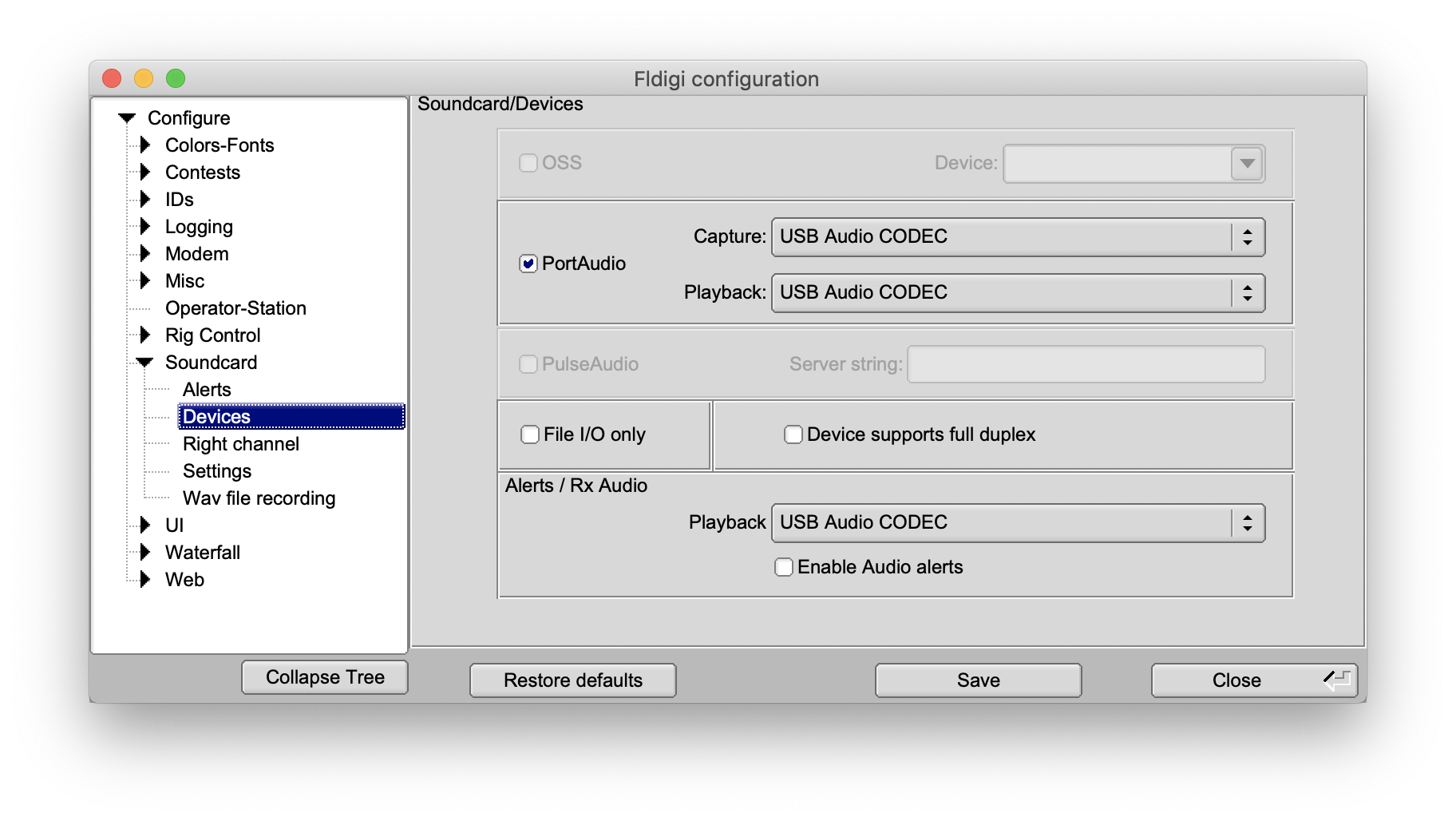
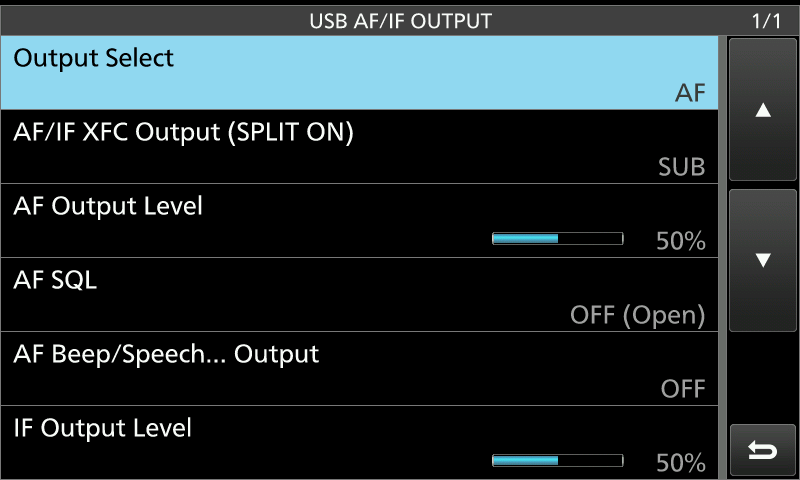
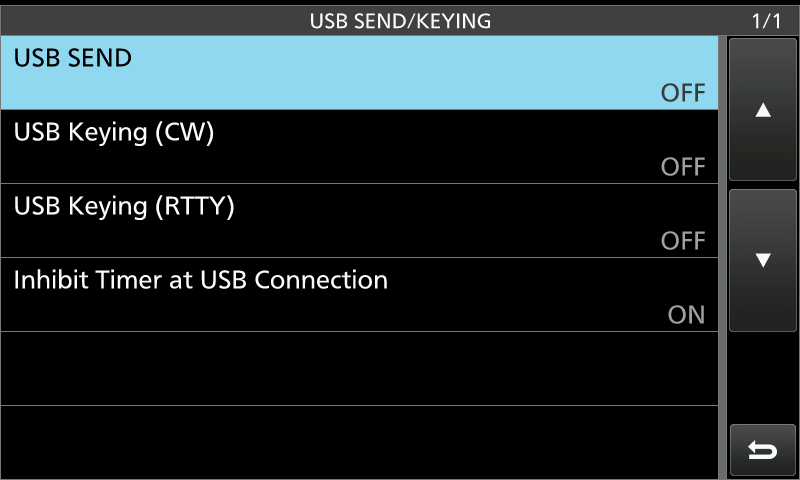
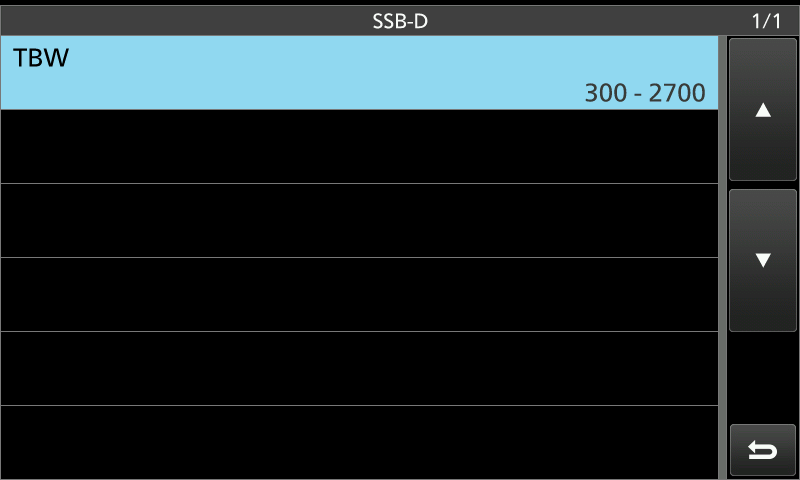
Screen captures to set IC-7610 Radio for digital mode
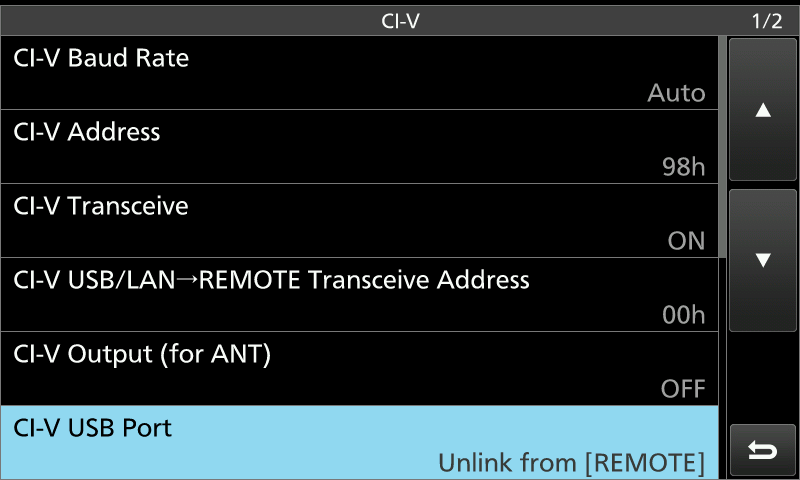
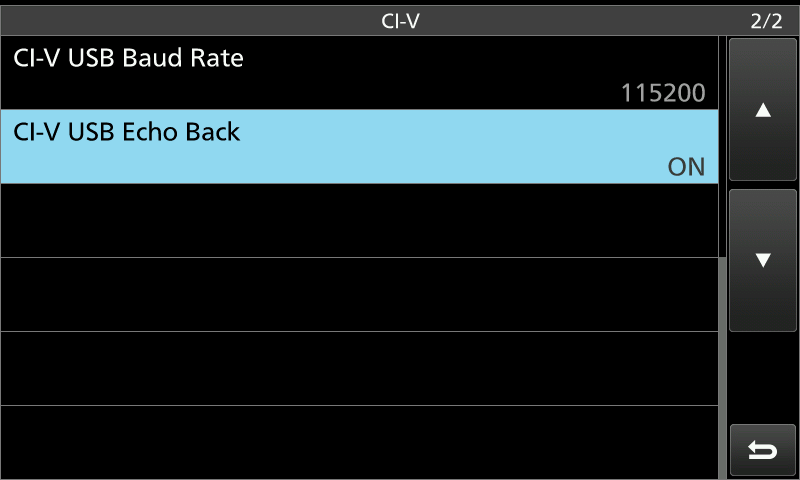
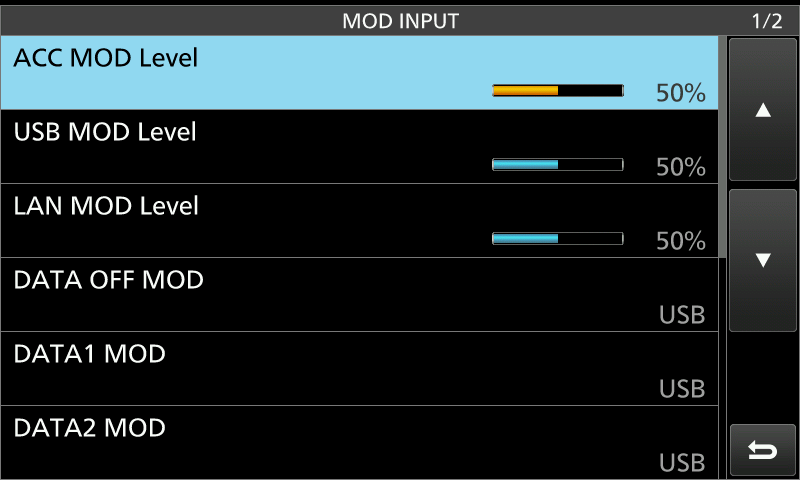
Installing WSJT-X
These instructions are from an older version of WSJT-X. The instructions in the latest version are missing a couple of commands to properly install sysctl.conf
by going to Applications->Utilities and clicking on Terminal.
Along with this ReadMe file there is a file: sysctl.conf. Drag this file to your Desktop.
Now move this file into place for the system to use by typing: (Note this assumes that
you really did drag this file to your Desktop as required earlier.)
sudo cp $HOME/Desktop/sysctl.conf /etc/
sudo chmod 664 /etc/sysctl.conf
sudo chown root:wheel /etc/sysctl.conf
and then reboot your Mac. This is necessary to install the changes. After the
reboot you should re-open the Terminal window as before and you can check that the
change has been made by typing:
sysctl -a | grep sysv.shm
If shmmax is not shown as 14680064 then contact me since WSJT-X will fail to load with
an error message: "Unable to create shared memory segment".
Setting for WSJT-X (Different from fldigi)