I believe that you must be a paid subscriber to QRZ.com to use this feature.
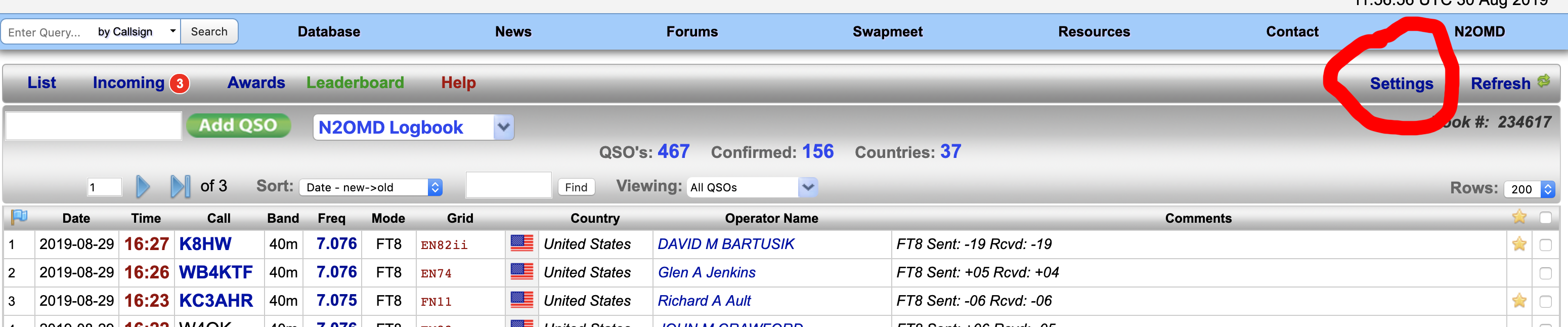
On the logbook page click on the Settings control.
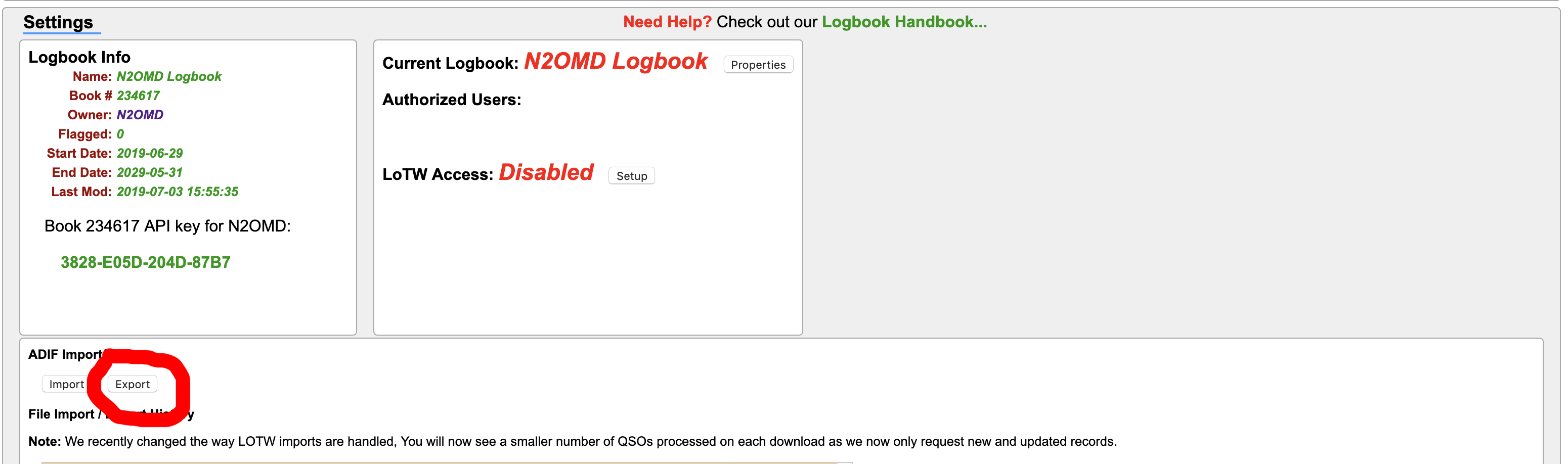
This will take you to the import/export section. Click on export
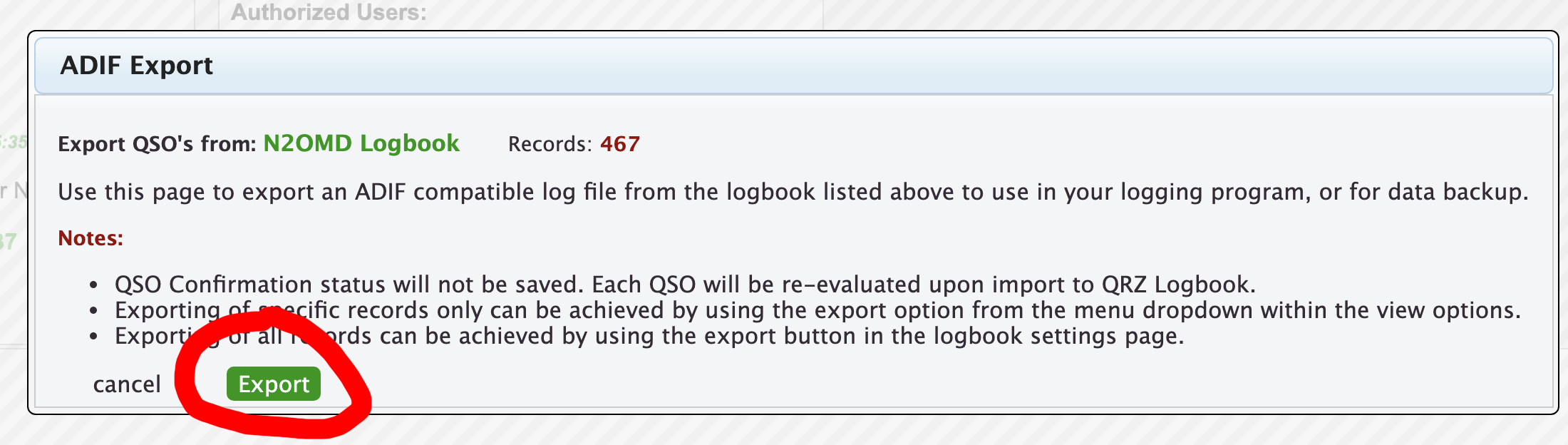
This will then take you to the ADIF export dialog. Click Export and follow the instructions.
All images copyright © Thomas A. Diakun